
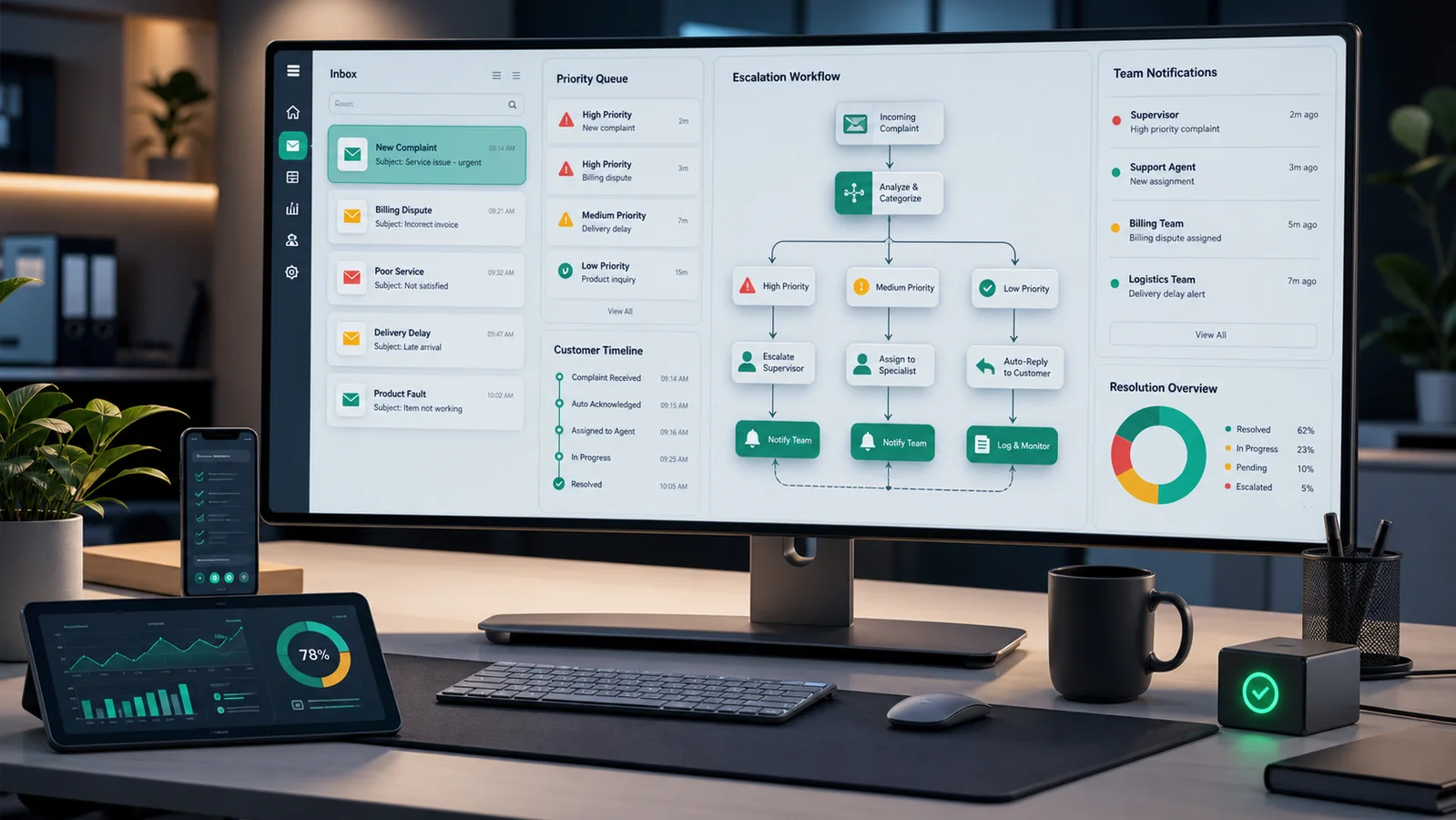
Customer complaints are different from ordinary support requests. A normal question can wait in a queue. A complaint about poor service, billing confusion, late delivery, property damage, safety concerns, or repeated no-shows needs faster visibility because the business may still have time to repair the relationship.
A complaint escalation alert workflow detects high-risk messages, records the context, and routes the case to the right person before a customer is left waiting. For service businesses, this can reduce missed follow-up, protect reviews, and give managers a clearer view of recurring service problems.
What this automation should do
The goal is not to replace human judgment. The goal is to make sure urgent complaints do not stay hidden in a shared inbox, form notification, chat export, or CRM note. The automation should classify the complaint, create a review record, notify the responsible person, and track whether someone acknowledged it.
Recommended workflow
1. Choose the complaint sources
Start with the channels that regularly receive serious customer issues: support inbox, contact form, booking system notes, feedback survey results, call center notes, or manual CRM updates. If complaints arrive by email, the Gmail API supports push notifications through Cloud Pub/Sub so a backend can react to mailbox changes instead of polling constantly. Google’s Gmail push notification documentation was last updated on 2026-06-03.
2. Define complaint signals carefully
Use a small set of practical signals before adding AI. Examples include words such as complaint, refund, angry, damage, unsafe, manager, legal, cancel, not delivered, wrong invoice, still waiting, or no one called. Add structured triggers too: one-star survey score, failed appointment, overdue ticket, repeated contact from the same customer, or billing dispute category.
3. Create severity levels
Use clear levels that the team understands. For example, low severity means ordinary dissatisfaction, medium severity means the customer needs same-day follow-up, and high severity means a manager must review the case immediately. Keep the labels simple enough that staff can correct them when automation is wrong.
4. Route the alert to the right owner
Not every complaint should go to the same person. Billing complaints can go to finance, service quality issues to operations, scheduling failures to dispatch, and public review risks to a manager. Slack incoming webhooks can post a structured alert into a team channel when that is where work happens, but the alert should include only the minimum customer information needed for action.
5. Log every escalation event
Store the complaint source, customer ID, severity, reason, assigned owner, acknowledgement time, and resolution status. A spreadsheet is enough for an early version. The Google Sheets API append method can add new rows to a sheet, and Google’s reference page was last updated on 2026-06-16.
Fields to include in the escalation log
- Customer or ticket ID
- Complaint source and received time
- Detected severity and reason
- Assigned owner or team
- Acknowledgement deadline
- Resolution status and final note
- Manual correction if the automation classified it incorrectly
Quality checks before launch
Test the workflow with real examples from the past, not only invented messages. Include angry complaints, polite complaints, billing issues, false positives, repeat customers, and messages that mention urgent words but are not actually urgent. Confirm that high-severity cases notify the correct owner once, low-severity cases do not create noise, and private details are not posted broadly.
A simple first version
A practical first version can be built without a complex help desk migration. Watch one support inbox, detect a short list of complaint signals, append every suspected complaint to a review sheet, and send one manager alert for high-severity cases. Add a status field such as new, acknowledged, waiting on customer, resolved, or false positive. After two weeks, review the log and adjust the keywords, departments, and severity rules based on real cases.
This staged approach keeps the automation useful while avoiding overengineering. Once the business trusts the alerts, it can connect the workflow to a CRM, ticketing system, call tracking platform, or customer portal.
Where AI can help
AI can summarize the complaint, suggest a severity level, identify the likely department, and draft a short internal note. Keep the first version conservative. Use AI to assist routing and summarization, not to send a final customer response without review. A sensitive complaint should usually be checked by a human before the customer receives a promise, refund statement, or policy answer.
Limitations
This workflow depends on the quality of the source data. If staff handle complaints through private messages, personal phones, or untracked conversations, automation will miss them. It can also classify tone incorrectly, especially when a customer is brief or sarcastic. The best setup includes a clear manual override and regular review of false positives and missed escalations.
The practical result is a better complaint safety net. The business still needs good judgment, but fewer urgent messages disappear inside a queue.
Operational handoff checklist
Before relying on this escalation workflow, define exactly who owns each type of complaint. Billing disputes should not go to the same queue as safety concerns, service-quality problems, or public review risks. A simple ownership table prevents the automation from creating fast alerts that still land with the wrong person.
Also decide what counts as acknowledged. For example, acknowledgement may mean the manager opened the case, added a note, assigned an owner, or contacted the customer. Track this explicitly so the team can see which complaints are still waiting and which ones are being handled.
Sources used
- Gmail API push notifications, last updated 2026-06-03
- Slack Developer Docs: incoming webhooks
- Google Sheets API: append values, last updated 2026-06-16
Related GainEdge guides
Troubleshooting playbook: apply this workflow to a real operation
Illustrative example—not a client result: Start with the failure, not the happy path. If a message is sent without current context, consent, or human review, pause outbound actions and inspect the source timestamp, unique record ID, consent or approval state, and the last successful step. Replay only from a stored checkpoint. Never rerun the entire workflow when that could send a second message or create a duplicate record.
Minimum data contract
| Field | Purpose | Validation rule |
|---|---|---|
| event_id | Prevents duplicate processing | Required and unique |
| record_id | Connects the event to the current customer and interaction record | Must resolve before action |
| source_updated_at | Detects stale data | Must be newer than the last processed version |
| decision_state | Stores pass, review, or hold | Never default an unknown value to pass |
| decision_reason | Makes the result auditable | Required for review, hold, and overrides |
| owner | Assigns exceptions to the customer operations owner | Must name a role or queue |
Workflow diagram
- Trigger: receive a customer message, document, outcome, or consent change and store its unique event ID.
- Retrieve: load the newest customer and interaction record; reject stale or unmatched data.
- Validate: check required fields, permissions, consent, and approved business rules.
- Decide: return pass, review, or hold with a plain-language reason.
- Act: perform only the approved action, then write the result and timestamp.
- Measure: review exceptions weekly and use avoidable escalations divided by customer interactions as a quality signal.
Failure tests before launch
- Send the same event twice and confirm the second copy makes no customer-facing change.
- Remove one required field and confirm the record enters review rather than passing.
- Use an older source timestamp and confirm the workflow refuses to overwrite newer data.
- Disconnect the destination system and confirm the action is queued with an accountable owner.
- Test an approved override and verify that the person, reason, and time are retained.
Keep the first review small: 20–50 shadow-mode events are usually enough to reveal field-mapping and ownership problems without pretending to establish a universal benchmark. Document the baseline, the rule version, and every disagreement between the workflow and reviewer.
Continue through this topic cluster
Reviewed by the GainEdge Editorial Team on 26 July 2026. See our editorial and corrections policy for sourcing, testing, AI-assistance, and update standards.