
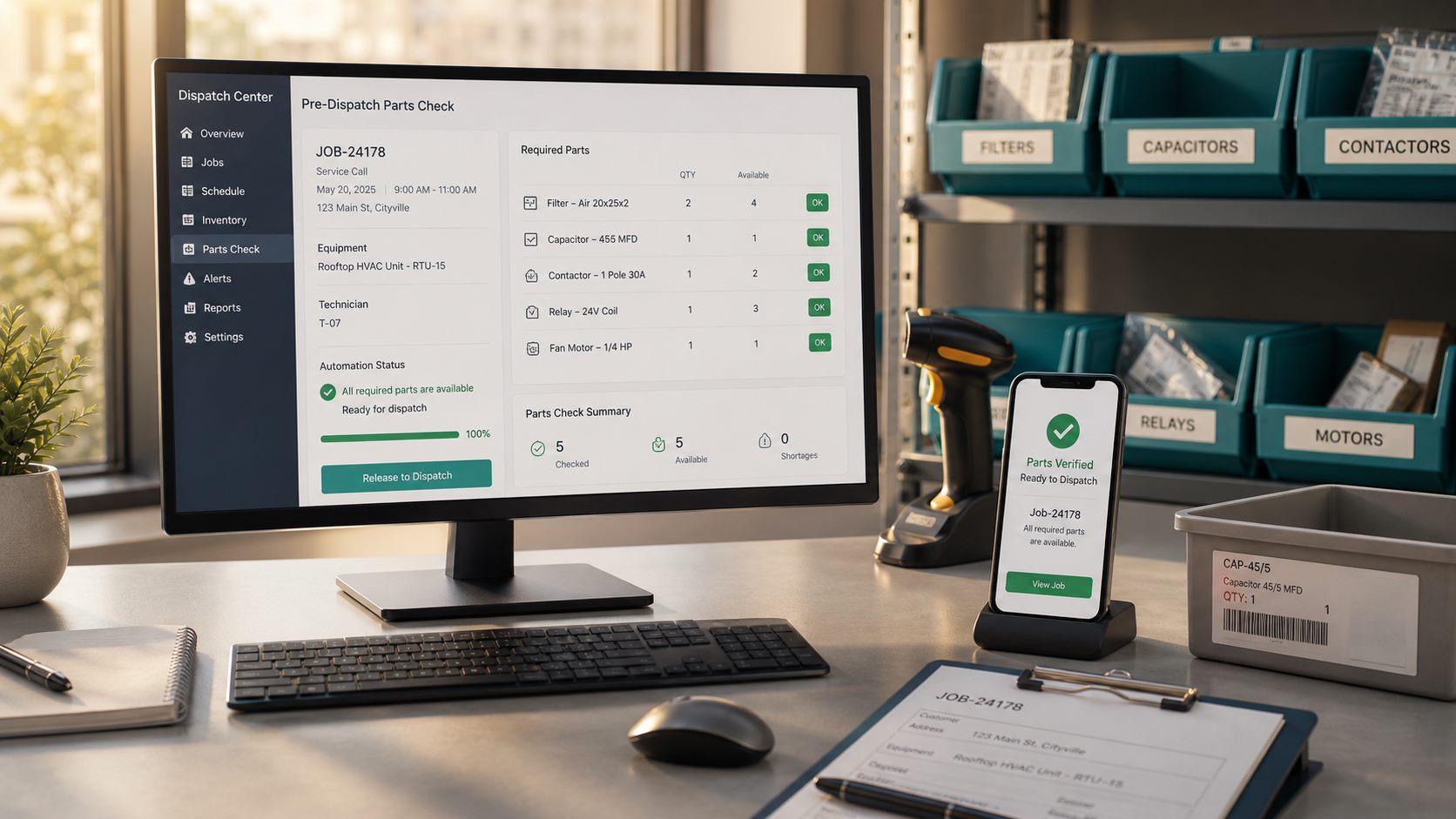
A technician can leave on time and still lose half a day if the right part is not in the truck, branch, or supplier pickup bin. The customer sees a failed visit, the office sees a reschedule, and the technician sees a job that should have been held before dispatch.
A parts availability check automation solves one narrow problem: before a service job is released to the technician, the workflow compares the job’s required parts against available inventory and creates a clear exception when something is missing. It is useful for HVAC, appliance repair, plumbing, electrical, pool service, garage door, pest control, property maintenance, and other local service teams that depend on parts, materials, or consumables.
Editorial note: This guide is an independent workflow tutorial. It does not contain affiliate links.
What this workflow should decide
The automation should answer a practical dispatch question: can this job be sent today with the parts the technician is expected to use? It should not become a full ERP rebuild. A good first version checks the appointment, job type, required parts list, available quantity, reserved quantity, pickup location, and shortage action.
This sits between technician dispatch notifications and low-stock alerts for service supplies. Low-stock alerts tell the business what to reorder in general. A pre-dispatch parts check decides whether one specific job is ready to leave.
When parts checks are worth automating
Start with jobs where a missing part causes real cost: repeat truck rolls, same-day cancellations, emergency reschedules, wasted warranty visits, or technicians buying parts at retail because the office did not catch a shortage. The best candidates have repeatable job types and a small list of parts that can be defined in advance.
Examples include HVAC capacitor calls, appliance model-specific parts, garage door springs, water heater fittings, pest treatment materials, filter replacement plans, pool chemicals, locks, sensors, and maintenance kits.
Step 1: Standardize the required parts list
The workflow needs a clean parts list before it can check anything. For each job type, define:
- required part name and SKU;
- minimum quantity;
- acceptable substitute SKU, if allowed;
- truck stock versus branch stock;
- supplier pickup option;
- whether the part is mandatory or optional;
- who can approve a shortage exception.
Keep the rules specific. “Bring HVAC parts” is not a checkable requirement. “One 45/5 MFD capacitor or approved equivalent” is.
Step 2: Attach parts to the appointment record
Each appointment should carry the required parts list or a link to the job template that contains it. If the workflow only knows the customer name and appointment time, it cannot make a dispatch decision.
Google Calendar’s Events resource shows the kinds of appointment fields that can hold summaries, descriptions, timing, attendees, and extended properties. In a small business workflow, the calendar event usually should not be the only source of truth, but it can carry the job ID or template reference that lets the automation look up the right parts.
If the appointment still has unresolved timing issues, solve those first with booking conflict checks or calendar change alerts. Parts readiness is not useful when the time slot itself is wrong.
Step 3: Keep inventory in a simple searchable table
The inventory table can live in a field service platform, Airtable, Google Sheets, a CRM custom object, or a lightweight database. The important part is structure. Store SKU, part name, location, quantity on hand, reserved quantity, reorder threshold, last count date, and notes.
Google Sheets API value operations are enough for many early workflows that need to read rows and update quantities. Airtable linked records are useful when jobs, parts, locations, and vendors need a relationship instead of a flat list. Choose the simplest system your team will actually maintain.
Step 4: Run the availability rule before dispatch
Trigger the check when a job moves to “ready for dispatch,” when the day-before schedule is finalized, or a fixed number of hours before the appointment. Then compare each required part against the inventory source:
- available quantity equals on-hand quantity minus already reserved quantity;
- required quantity is taken from the job template or estimate;
- substitute parts are checked only when the template allows them;
- truck stock is checked before branch stock when the technician is already assigned;
- supplier pickup is checked only when there is enough time before the appointment.
The n8n IF node documentation is a useful reference for building yes/no branches without hiding the logic. Whether you use n8n, Make, Zapier, Airtable automations, or a CRM workflow, write the rule so staff can understand why the job passed or failed.
Step 5: Reserve parts only when the job is truly likely to happen
Do not reserve parts the moment a lead asks for a quote. Reserve them when the appointment is confirmed, the service area is accepted, the customer has provided required information, and the job is close enough to dispatch that holding stock makes sense.
If the customer still owes photos, model numbers, access instructions, or documents, connect this workflow to customer document collection before reserving scarce parts. Bad intake data creates bad inventory decisions.
Step 6: Route shortages to a human exception queue
A failed parts check should not silently cancel the job. Create an exception with the missing SKU, required quantity, available quantity, job time, customer priority, possible substitutes, supplier option, and recommended next action. The review owner can then choose one of these paths:
- approve a substitute part;
- move the job to a technician who has the part;
- create a supplier pickup task;
- reschedule before the customer is waiting;
- split diagnosis and repair into separate visits;
- override the shortage with a written reason.
The override matters. Automation should make shortages visible, not trap the team when a manager has valid field context.
Step 7: Send customer updates only when needed
If the parts issue changes the appointment, communicate clearly and early. If it does not affect the arrival window, keep the customer out of the internal noise. For SMS or messaging workflows, Twilio’s messaging best practices emphasize consent, clear sender identity, opt-out handling, and relevant messages. Tie customer messages back to communication consent logs before sending automated updates.
A useful customer message is specific and honest: “We are confirming one required part before your appointment. If it affects timing, we will contact you by 2 PM.” Avoid pretending the job is guaranteed when the inventory record is uncertain.
Step 8: Log the result for operations improvement
Every check should write a small log: job ID, appointment time, required parts, source inventory values, pass or fail status, exception reason, reviewer, and final outcome. Review the log weekly. You will learn which parts are missing often, which job templates are inaccurate, which technicians need truck stock updates, and which supplier lead times break same-day promises.
This log also protects against over-automation. If many checks are failing because the inventory table is stale, the problem is not the automation rule. It is the counting process.
A simple starter stack
A practical first version can use Google Sheets or Airtable for inventory, a CRM or booking tool for jobs, n8n or another automation builder for the logic, and email or task notifications for exceptions. Start with one high-volume job type and five to twenty common parts. Once staff trust the pass/fail logic, add more job templates.
Avoid using affiliate tools or complex software just because they sound advanced. The core system is a reliable table, a clear job template, a timing trigger, a shortage queue, and a customer-safe communication rule.
Quality gates before launch
Test with real scenarios before the workflow can block dispatch: all parts available, one mandatory part missing, substitute available, optional part missing, stale count date, part available at another branch, supplier pickup possible, customer document missing, and manager override. Confirm that the dispatch team sees the reason and that no customer message goes out without the right consent and context.
Limitations
This workflow is only as accurate as the inventory source. If technicians do not update truck stock, if branch counts are stale, or if parts are mislabeled, the automation can create false confidence. It also cannot decide whether a technician can safely improvise in the field. Keep human review for exceptions, substitutes, safety-sensitive work, warranty jobs, and high-value customers.
This article is operational guidance, not legal, safety, warranty, or inventory accounting advice. Match the workflow to your contracts, safety rules, supplier agreements, and customer communication policy.
Bottom line
A pre-dispatch parts availability check prevents avoidable truck rolls by catching shortages before the technician leaves. Standardize the parts list, attach it to the job, compare it with available inventory, reserve only when the appointment is real, route shortages to humans, and communicate with customers only when the schedule is affected.