Editorial note: This guide contains tool recommendations but no paid placement. If GainEdge adds an affiliate link later, it will be labeled and governed by our affiliate disclosure.
A fast reply matters when a prospective customer requests a quote, books a consultation, or leaves a missed call. The goal, however, is not to make an AI system pretend to be a human. A dependable lead follow-up system should acknowledge the inquiry, capture the right context, alert the responsible person, and preserve a clear route to human help.
The five jobs your system must perform
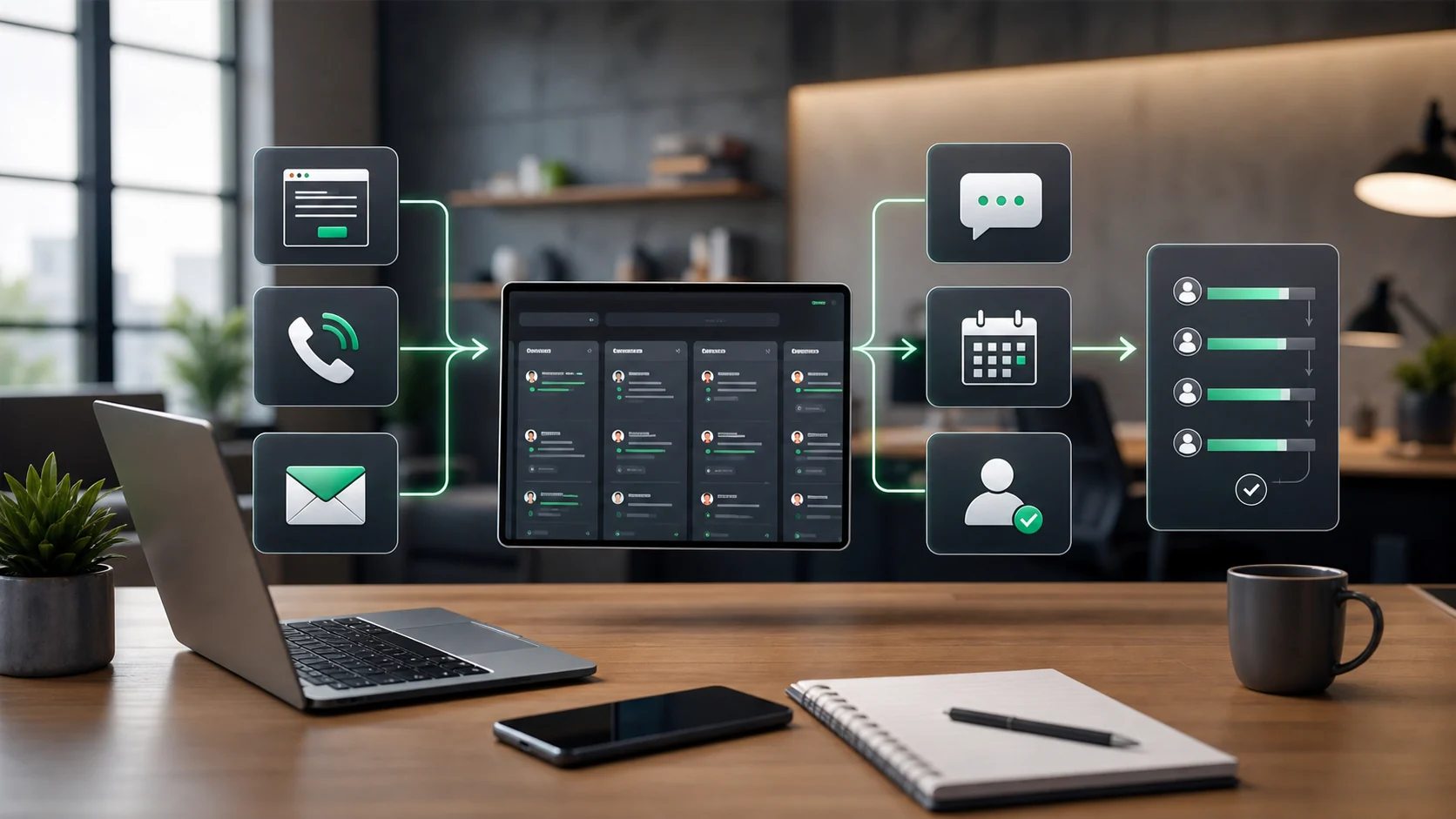
- Capture: accept inquiries from forms, calls, chat, booking pages, or advertising lead forms.
- Normalize: turn inconsistent fields into a usable record with a name, contact method, service request, source, timestamp, and consent status.
- Prioritize: flag genuine urgency and high-intent requests without making unsupported assumptions about a person.
- Respond: send a truthful acknowledgment and explain what happens next.
- Escalate: create a task, notify the right person, and retry safely when an integration fails.
AI is most useful after these basics work. It can summarize a long message, identify the requested service, draft a reply for review, or classify a lead into a small set of operational categories. It should not invent prices, appointment availability, warranties, or eligibility.
A practical stack by business stage
Stage 1: booking and email only
For a solo operator, a booking platform with automated reminders plus an email inbox may be enough. Calendly Workflows, for example, can automate communications around scheduled events. Keep the process simple until missed inquiries or manual copying become measurable problems.
Stage 2: visual automation
A visual automation platform such as Make can connect forms, spreadsheets, email tools, calendars, and CRMs. This is often comfortable for teams that want a visual builder and do not want to operate their own server. Review operation limits, error handling, data retention, and the permissions granted to each connection before committing.
Stage 3: flexible or self-hosted workflows
n8n is a strong fit when the workflow needs deeper branching, custom data transformation, code steps, or a self-hosted deployment. Its Webhook node can receive data from an external service and start a workflow. Self-hosting adds control, but it also makes backups, updates, secrets, uptime, and incident response your responsibility.
Stage 4: phone and messaging
Twilio can send incoming-call events to a webhook and can support messaging workflows. Phone automation introduces additional consent, deliverability, country, and carrier requirements. Use approved message templates where required and give recipients a clear way to opt out.
Selection checklist
- Can a nontechnical owner understand what happens after a lead arrives?
- Is there one authoritative customer record rather than several conflicting spreadsheets?
- Are credentials stored in a secrets manager or protected connection vault?
- Can the workflow retry without sending duplicate messages?
- Does every automated message identify the business and set an honest response expectation?
- Can a staff member pause the automation quickly?
- Are consent, suppression, and deletion requests preserved?
A safe minimum workflow
Start with one source, one acknowledgment, and one staff notification. Log the event before adding AI. Then add deduplication, validation, error alerts, and a manual review queue. Only after the workflow is reliable should you add summarization or response drafting.
For an implementation example, read How to Automate Lead Follow-Up with n8n. If you are deciding between platforms, see Make vs n8n for Small-Business Automation.
Sources and further reading
- n8n Webhook node documentation
- Make webhook documentation
- Calendly Workflows overview
- Twilio voice webhooks
Example workflow for a service business
Imagine a maintenance company receives a website form at 8:15 a.m. The automation creates a lead record, checks whether the requested service is inside the service area, sends an internal alert to the sales owner, and prepares a first-response draft. If the lead includes an urgent issue, the system marks it as high priority and asks a human to call instead of relying only on email.
The AI part should support the workflow, not replace the team. It can summarize the customer’s request, suggest a reply, and classify the urgency. A human should still review unusual requests, high-value jobs, complaints, and messages involving safety, legal, or payment issues.
Data fields to collect before using AI
- Lead source and landing page
- Customer name and preferred contact method
- Requested service and location
- Urgency level and service date preference
- Consent status for follow-up messages
- Sales owner and current lead status
How to measure quality
Track first-response time, qualified-lead rate, booked appointments, duplicate rate, and the percentage of AI drafts that required heavy editing. If the team edits almost every AI response, the prompt, source data, or qualification rules need improvement before scaling the system.
Operational checks before launch
AI lead follow-up should support the human sales process, not replace it completely. Use AI to summarize enquiries, suggest reply drafts, classify urgency, and highlight missing information. Keep a human review step for sensitive pricing, complaints, unusual requests, and anything involving legal, medical, or financial judgment. This keeps the workflow practical and reduces the risk of sending inappropriate replies.
Track whether AI improves response quality as well as speed. Review a sample of replies each week for accuracy, tone, missing context, and customer outcome. If drafts are too generic, improve the prompt and feed the system better business information. If staff frequently rewrite everything, the automation may need narrower tasks rather than broader autonomy.
Review after launch
After launch, keep a human feedback loop for AI replies. Staff should flag incorrect summaries, weak drafts, and missing details. These examples help improve prompts and prevent the system from repeating mistakes at scale.
Worked implementation example: apply this workflow to a real operation
Illustrative example—not a client result: Assume a local service team processes 40 relevant events in a week. The automation first writes a unique event ID, retrieves the current lead and source record, and applies only approved rules. Thirty-four records pass, four are routed to sales operations owner because required fields are missing, and two are held because the source data conflicts. Those numbers are illustrative, but the pattern is useful: automation handles clear cases while uncertainty remains visible.
Minimum data contract
| Field | Purpose | Validation rule |
|---|---|---|
| event_id | Prevents duplicate processing | Required and unique |
| record_id | Connects the event to the current lead and source record | Must resolve before action |
| source_updated_at | Detects stale data | Must be newer than the last processed version |
| decision_state | Stores pass, review, or hold | Never default an unknown value to pass |
| decision_reason | Makes the result auditable | Required for review, hold, and overrides |
| owner | Assigns exceptions to the sales operations owner | Must name a role or queue |
Workflow diagram
- Trigger: receive a new lead, reply, assignment, or follow-up event and store its unique event ID.
- Retrieve: load the newest lead and source record; reject stale or unmatched data.
- Validate: check required fields, permissions, consent, and approved business rules.
- Decide: return pass, review, or hold with a plain-language reason.
- Act: perform only the approved action, then write the result and timestamp.
- Measure: review exceptions weekly and use leads needing manual correction divided by leads processed as a quality signal.
Failure tests before launch
- Send the same event twice and confirm the second copy makes no customer-facing change.
- Remove one required field and confirm the record enters review rather than passing.
- Use an older source timestamp and confirm the workflow refuses to overwrite newer data.
- Disconnect the destination system and confirm the action is queued with an accountable owner.
- Test an approved override and verify that the person, reason, and time are retained.
Keep the first review small: 20–50 shadow-mode events are usually enough to reveal field-mapping and ownership problems without pretending to establish a universal benchmark. Document the baseline, the rule version, and every disagreement between the workflow and reviewer.
Continue through this topic cluster
Reviewed by the GainEdge Editorial Team on 26 July 2026. See our editorial and corrections policy for sourcing, testing, AI-assistance, and update standards.