Disclosure: This article contains an affiliate link. If you buy through that link, GainEdge may earn a commission at no extra cost to you.
A lead magnet is useful only when the follow-up is fast, clear, and consistent. A plumber offering an emergency checklist, a clinic offering a new-patient guide, a consultant offering a pricing worksheet, or a home-service company offering a seasonal maintenance checklist can all collect leads. The weak point is usually what happens after the form is submitted.
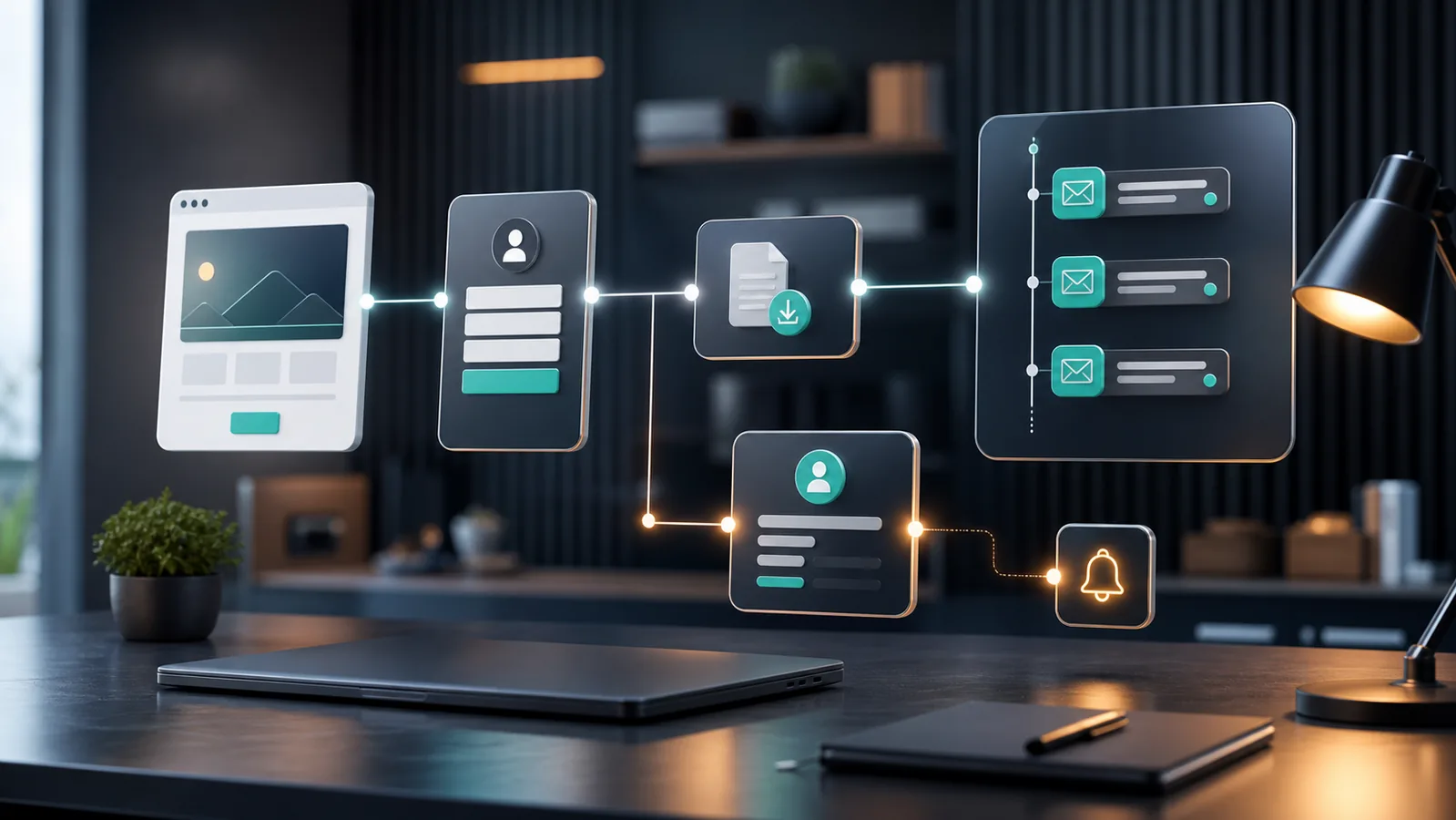
If the owner has to manually send the file, remember who downloaded it, and follow up later, the system breaks as soon as the business gets busy. The better approach is a small automated funnel: one focused opt-in page, one instant delivery email, one owner notification, one contact tag, and a short follow-up sequence that helps the lead take the next step.
This guide shows how to automate lead magnet delivery and follow-up without building a complicated marketing machine. The goal is not to spam subscribers. The goal is to make sure every interested lead receives the promised resource, understands what to do next, and can contact the business while intent is still fresh.
What This Workflow Should Do
A practical lead magnet workflow for a small service business should handle six jobs:
- Publish a simple opt-in page that explains the resource and asks for the minimum information needed.
- Capture the lead in a contact database.
- Deliver the promised file or link immediately.
- Tag the contact so future follow-up is relevant.
- Notify the owner or sales team when a strong lead arrives.
- Send a short follow-up sequence that educates, filters, and invites a real conversation.
That is enough for most early-stage local businesses. Do not start with five tools, complex scoring, or ten-email campaigns. Start with one clean path that can be measured.
Use a Focused Topic, Not a Generic Freebie
The fastest way to make this automation underperform is to offer a generic download such as “Business Tips” or “Free Guide.” A lead magnet should connect directly to a buying problem.
For example, a local HVAC company could offer “7 Questions to Ask Before Replacing an AC Unit.” A dental clinic could offer “New Patient Visit Checklist.” A bookkeeping service could offer “Monthly Invoice Cleanup Checklist.” A marketing consultant could offer “Small Business Automation Audit Template.”
The topic should pass three checks:
- The reader has a real problem now.
- The resource helps them make a better decision.
- The next logical step can be a service call, consultation, booking, or quote request.
This is also important for SEO. A narrow article or landing page can target a specific problem. A broad freebie usually attracts low-intent visitors and weak follow-up signals.
Build the Minimum Funnel
The minimum funnel needs only two pages: an opt-in page and a thank-you page.
Opt-In Page
The opt-in page should explain the problem, the resource, and who it is for. Keep the form short. For most local service businesses, name and email are enough. If the business needs phone follow-up, add phone number only when there is a clear reason. Asking for too much information too early lowers completion rate.
The page should include:
- A plain headline that names the result.
- Three to five bullets explaining what the resource includes.
- A short privacy note explaining that the email is used to send the resource and relevant follow-up.
- A single opt-in form.
Thank-You Page
The thank-you page confirms that the resource is on the way. It can also offer one clear next step, such as booking a consultation, requesting a quote, or reading a related guide.
A good thank-you page is not a hard sell. It should answer the lead’s immediate question: “What happens now?”
Deliver the Resource Immediately
Once the form is submitted, the first email should arrive quickly and contain the promised file or link. Do not make the lead search for it. Use a direct button or plain link near the top of the email.
The first email should include:
- A short confirmation that the resource is attached or linked.
- One sentence explaining the best way to use it.
- One useful next step, not several competing calls to action.
- Contact details or a booking link if the reader needs help.
For a simple all-in-one setup, systeme.io can host the funnel page, capture the contact, apply tags, and trigger the email follow-up from one place. The official help center documents funnels, contact-list building through opt-in pages, automatic emails after subscription, campaigns, automation rules, tags, email-domain authentication, and split tests. The main advantage is simplicity: fewer moving parts to connect before the workflow can go live.
If the business already has a website and email platform, the same workflow can also be built by connecting a form tool, email service, and CRM. The right choice depends on the current stack, budget, and how much technical maintenance the owner is willing to handle.
Tag the Lead Based on the Resource
Tagging is what prevents a useful automation from becoming generic. A contact who downloads an invoice checklist should not receive the same follow-up as someone who downloads an appointment reminder template.
Use tags that describe the lead’s interest, such as:
lead-magnet-invoice-checklistlead-magnet-booking-templatelead-magnet-crm-intakelead-magnet-ai-automation-audit
Keep the naming system readable. Future you should be able to understand the tag without opening a spreadsheet. If the business later adds a CRM or paid ads, clean tags make reporting easier.
Send a Short Follow-Up Sequence
The follow-up sequence should help the lead use the resource and move toward a decision. For most small service businesses, three to four emails are enough.
Email 1: Delivery
Send immediately. Deliver the resource, explain how to use it, and include one next step.
Email 2: Practical Example
Send one day later. Show a short example of the problem being solved. A bookkeeping business might explain how one missed invoice reminder affects cash flow. A clinic might explain how a clear intake form reduces back-and-forth messages.
Email 3: Common Mistakes
Send two or three days later. List the mistakes that cause the problem to continue. Keep it useful, not fear-based.
Email 4: Soft Conversion
Send four to seven days later. Invite the lead to book a consultation, request a quote, or reply with a question. This should feel like a logical next step, not a pressure tactic.
Do not keep emailing forever unless the person also joins a newsletter and understands what they will receive. Lead magnet follow-up should respect the specific context that brought the subscriber in.
Notify the Owner When the Lead Looks Valuable
For local businesses, speed often matters more than sophisticated lead scoring. If the opt-in form asks for a phone number, service area, company name, or project type, use that information to decide whether the owner should be notified immediately.
Examples of high-intent triggers include:
- The lead requested a quote on the thank-you page.
- The lead selected an urgent service category.
- The lead entered a business email address.
- The lead clicked the booking link in the first email.
The notification should be short: name, email, phone if provided, resource downloaded, page URL, and suggested next action. If the notification includes too much information, busy owners ignore it.
Connect Internal Content Around the Funnel
A lead magnet should not sit alone. It should connect to helpful articles that support the same intent. On GainEdge, this workflow connects naturally with several existing automation topics:
- How to Automate Lead Follow-Up with n8n for teams that want a more flexible no-code workflow.
- How to Automate Missed-Call and Web-Lead Follow-Up for service businesses losing leads after first contact.
- How to Automate Customer Intake Forms Into a CRM for businesses that need structured lead records.
- Make vs n8n for Small-Business Automation for readers comparing workflow tools.
Internal links help readers continue solving the same problem. They also reduce the chance that every article competes for the same keyword because each page has a distinct job.
Measure the Right Numbers
Do not judge the workflow only by total traffic. A lead magnet funnel needs a smaller set of practical metrics:
- Opt-in page visits.
- Form completion rate.
- Delivery email open rate.
- Clicks to the resource.
- Replies, bookings, calls, or quote requests.
- Unsubscribes and spam complaints.
If many people visit but few subscribe, the offer or page is weak. If many subscribe but few open the first email, the sender setup, subject line, or deliverability may need work. If people open and click but do not book, the next step may be unclear or too aggressive.
Before sending larger traffic volumes, authenticate the sending domain. Email authentication improves trust signals and reduces avoidable delivery problems. It is also easier to set up before the business has many campaigns running.
Use Split Tests Carefully
Split testing is useful, but only when there is enough traffic to make the result meaningful. A new small-business funnel should not test everything at once.
Start with one of these tests:
- Headline A vs headline B.
- Checklist offer vs template offer.
- Short form vs form with phone number.
- Booking call-to-action on the thank-you page vs email-only follow-up.
Run one test at a time. If the page has only a few visitors per week, prioritize clearer messaging and better distribution before chasing minor conversion-rate changes.
Limitations to Watch
This workflow is simple, but it still has risks.
First, automation cannot fix a weak offer. If the resource is vague, the follow-up will not create strong intent. Second, email automation must respect consent and local rules. Do not add people to unrelated campaigns just because they downloaded a checklist. Third, paid ads should not be sent to a funnel until the page, delivery email, disclosure, and tracking are tested. Finally, if you use affiliate links in supporting content, disclose the relationship clearly and place the recommendation where it helps the reader.
For local SEO, remember that lead magnet pages are only one part of the system. Google’s own local ranking guidance emphasizes relevance, distance, and prominence. A lead magnet can support relevance by answering a specific problem, but it does not replace service pages, reviews, local citations, or a complete Google Business Profile.
Implementation Checklist
- Choose one narrow resource tied to a buying problem.
- Create one opt-in page and one thank-you page.
- Connect the form to a contact record.
- Deliver the file or link immediately by email.
- Apply a clear tag based on the resource topic.
- Send a three- to four-email follow-up sequence.
- Notify the owner when the lead indicates high intent.
- Authenticate the sending domain before scaling traffic.
- Measure opt-ins, email clicks, replies, bookings, and unsubscribes.
- Improve one part of the workflow at a time.
Bottom Line
A small lead magnet automation does not need to be complex. The winning version is usually the one that delivers quickly, follows up with useful context, and gives the lead a clear next step. Start with one problem, one resource, one tag, and one short sequence. Once that produces real replies or bookings, then improve the page, test the offer, and connect the workflow to deeper CRM or sales automation.
For a new small-business website, this is one of the cleanest monetization and lead-generation workflows to build because it creates useful content, captures demand, and gives the business a repeatable way to follow up without manual chasing.
Sources
- systeme.io Help: How to create a funnel
- systeme.io Help: How to build your contact list using a funnel
- systeme.io Help: How to automatically send an email when a lead subscribes
- systeme.io Help: How to automate an email sequence
- systeme.io Help: How automation rules work
- systeme.io Help: How to add tags to your contacts
- systeme.io Help: How to authenticate your domain name for email sending
- systeme.io Help: How to set up an A/B test for your pages
- FTC: Disclosures 101 for Social Media Influencers
- Google Business Profile Help: Tips to improve your local ranking on Google